
Go to Settings >> Configuration >> Enrichment Sources.
Click Add.
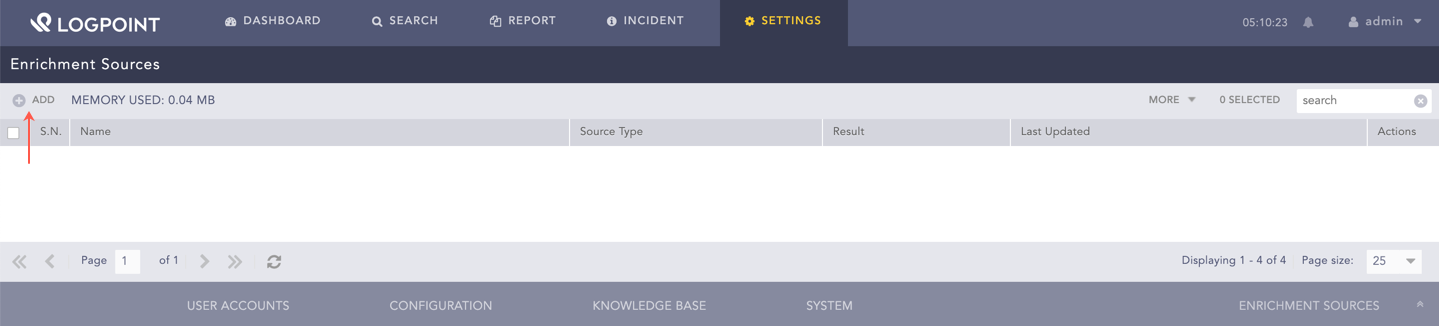
Adding an Enrichment Source
Select the CSV option.
Enter a Name.
Select the Charset.
Select a Delimiter. It is the type of data included in the CSV file.
Select Upload Options.
7.1. Select File upload to provide a CSV file. Click Browse to search for a CSV file and click Upload.
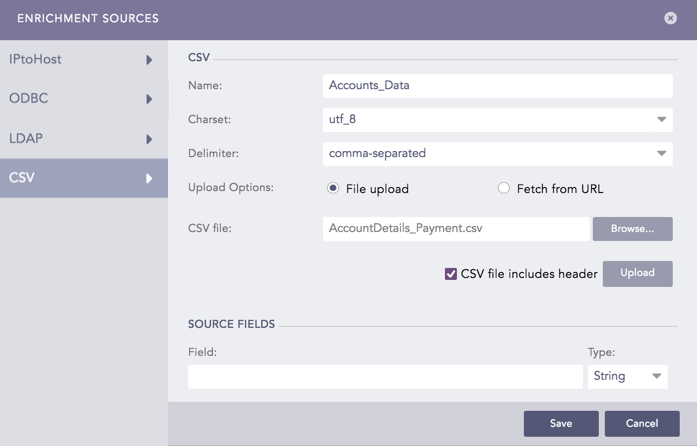
CSVEnrichmentSource - File Upload
7.2. Select Fetch from URL to upload a URL link to the CSV file.
7.2.1. Enter the CSV URL that links to the CSV File.
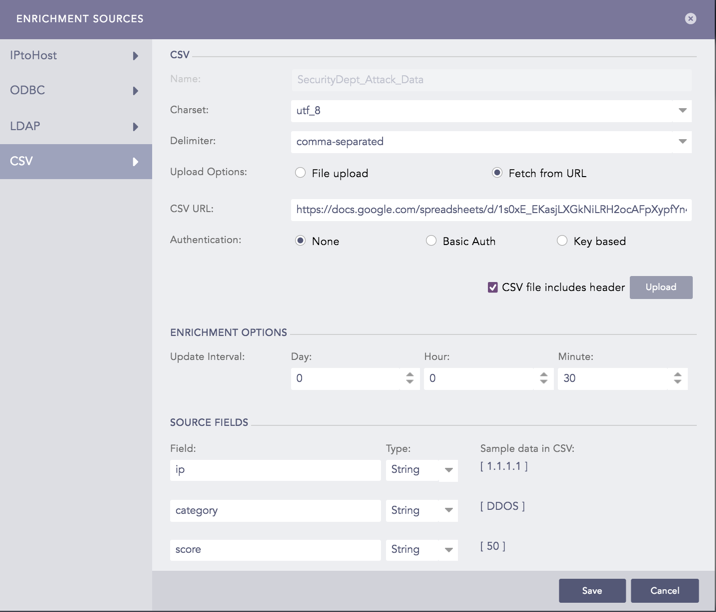
CSVEnrichmentSource - Fetch from URL
7.2.2. Select an Authentication method.
7.2.2.1. Select None if the provided CSV URL requires no authentication.
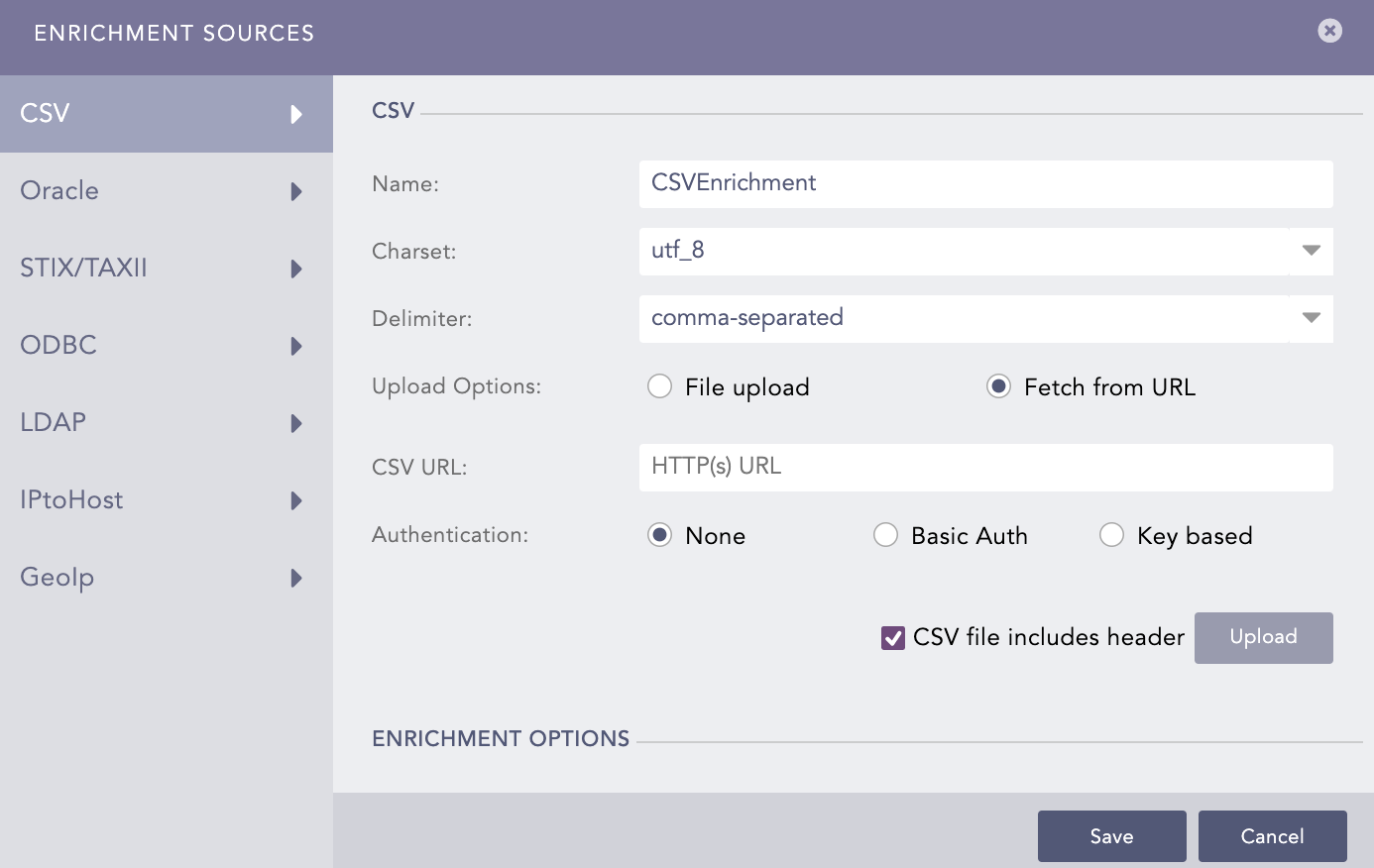
CSVEnrichmentSource - URL With No Authentication
7.2.2.2. Select Basic Authentication if the provided CSV URL requires basic authentication. To access the URL, provide your Username and Password.
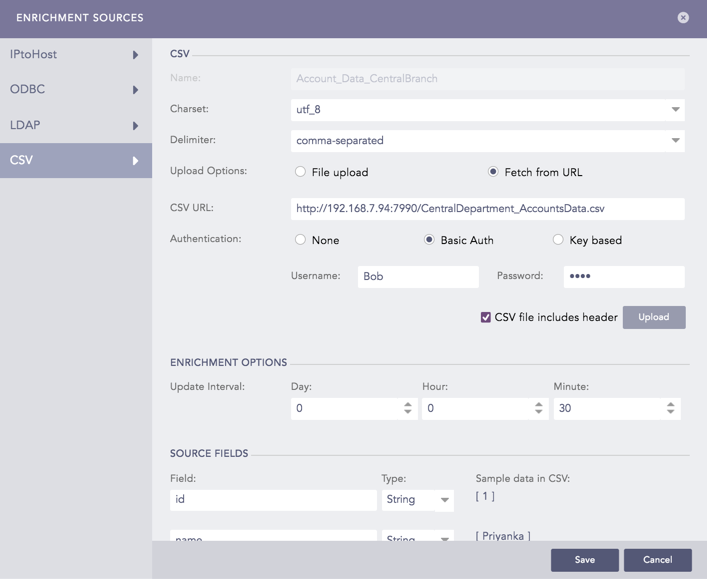
CSVEnrichmentSource - URL With Basic Authentication
7.2.2.3. Select Key Based Authentication if the provided CSV URL requires key-based authentication. To access the CSV file, provide your API Key.
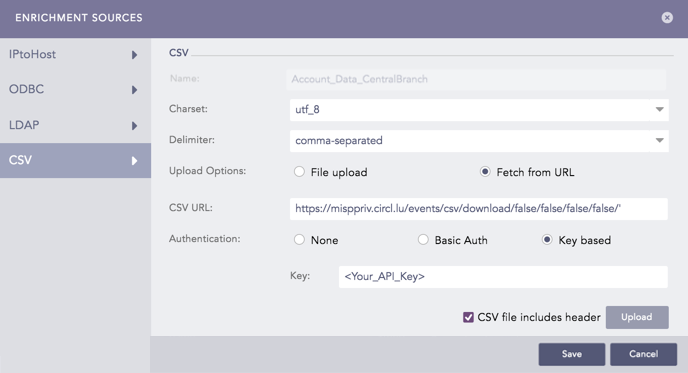
CSVEnrichmentSource - URL With Key Based Authentication
7.2.3. In the Enrichment Options section, enter an Update Interval.
7.2.4. Click Upload.
Note
If the HTTPs certificate provided by the CSV URL is invalid, you must unselect the Enforce HTTPS certificate validation from
Settings >> System >> Plugins >> CSVEnrichmentSource >> Manage. CSV Enrichment Source invalidates the root certificate sent by the server if one of the three conditions matches:
Certificate hostname does not match with the hostname of the CSV URL.
The Certificate Revocation List (CRL) indicates that the certificate has expired.
An unrecognized Certificate Authority (CA) signed the certificate.
Select CSV file includes header if the CSV file contains field headers. If the file does not contain field headers, CSV Enrichment Source assigns default header names as Column1, Column2, …, and ColumnN, where N is the number of columns in your CSV file.
The Source Fields section displays the field headers of the CSV file along with the sample data.
Select the Type of the sample data from the drop-down menu.
Click Save.
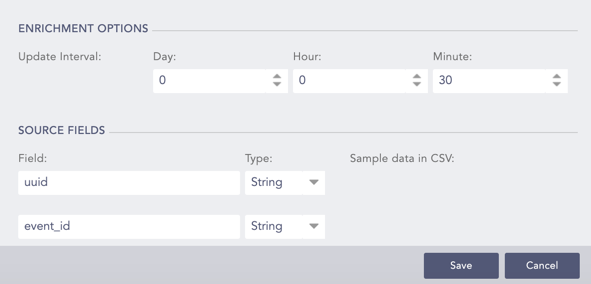
Adding CSV Enrichment Source